



How to Access Sport and Activity Information

Sport and Activities – SOCS

The Sports and Activities offered at Sedbergh are a valuable part of the education we offer. It is understandable, therefore, that you would want to know what your child is involved in, when they have fixtures you might watch, and the activities they have signed up for.

There are two ways in which you can access this information.

1. SPORT FIXTURES AND TEAM SHEETS FROM THE WEBSITE…

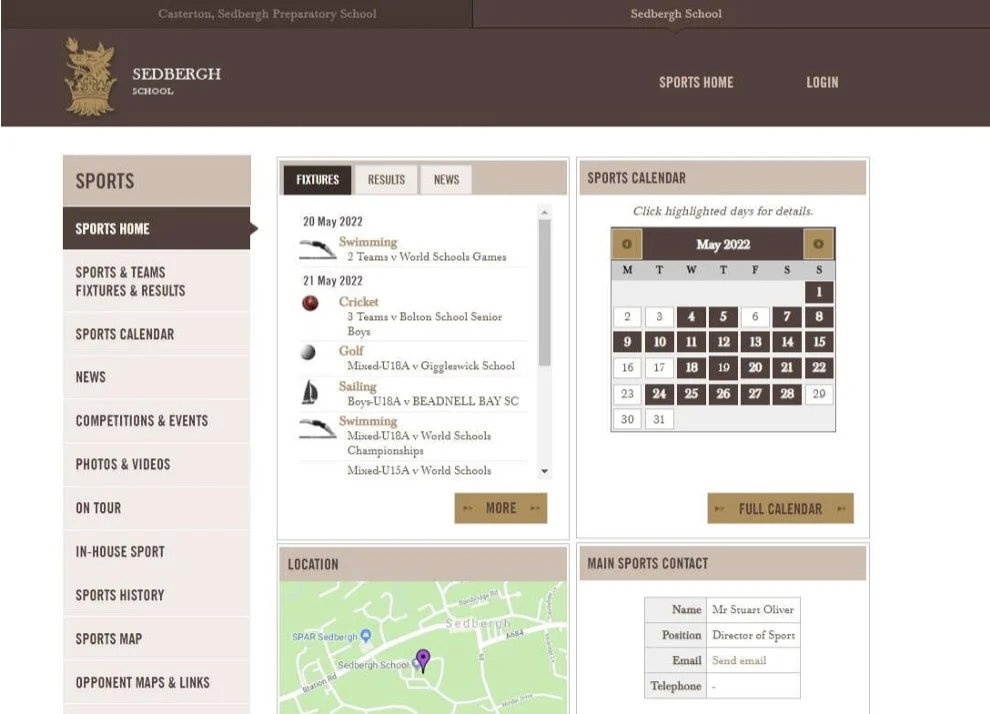
If you visit the page below on your laptop or PC you will see the Calendar, Fixtures and Results for all sports. https://www.sedberghschoolsports.org/
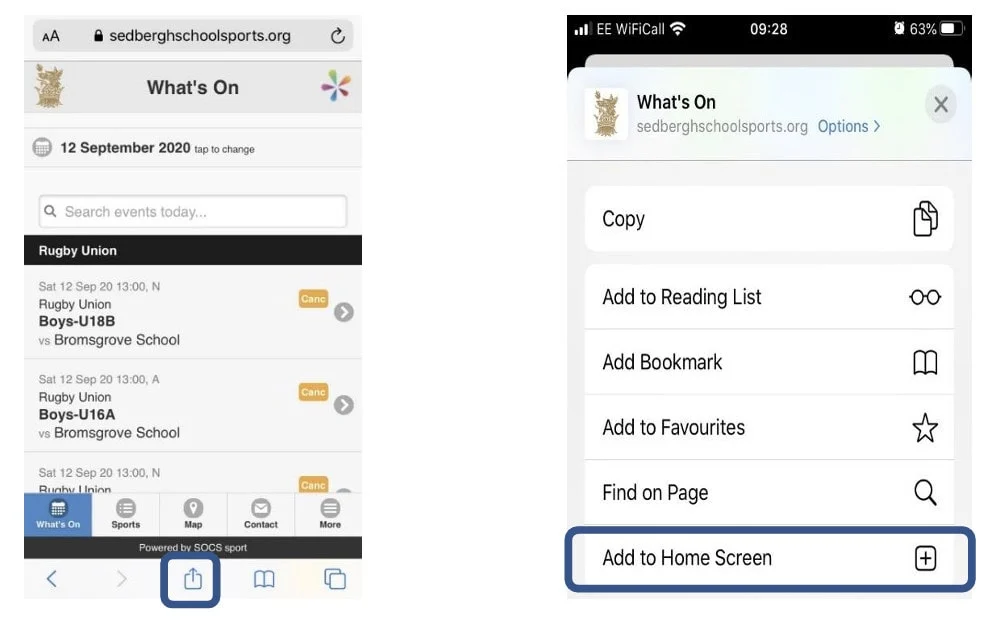
If you visit the same address on your mobile device you can save this link to your home screen thus creating an easy link to access on the move. Click the icon marked below left and drag up the menu on the right. Touch ‘add to Home Screen’
This source of information gives an up-to-date reference to most things sporting and is an excellent source of information on match day. If you wish to see if your child has been selected, you can look at the teams sheets. These are posted approximately 24 hours before a match and will appear at the end of the row as a blue torso silhouette. When you click on this you will be asked for the password to access this information. The password is SedberghSport (note the capital ‘S’s).
2. SOCS

Should you wish to see your child’s sport and activity commitments and how they fit into their working week you can now login to our Co-Curricular management system. This is known as SOCS. The pupils use this system to select their choices each term and it provides a ‘one stop shop’ for where they need to be at any given time and all from a phone or laptop. Your login, described below, mirrors what they can see so that you can discuss the choices they have made with them and converse about the activities they have taken part in.

  • To login you first need to activate your email (this will be the email address the school holds to communicate with you).
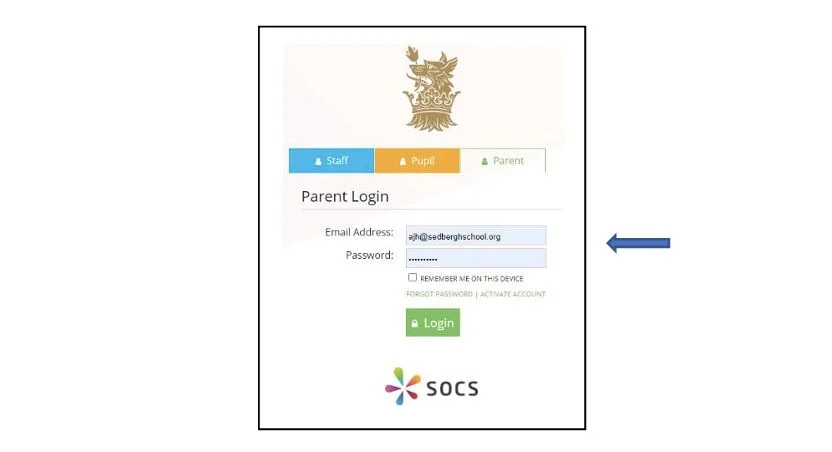
  • Visit this link https://www.socscms.com/login/236/parent and click the activate account link.

  • You will be sent an email shortly after (note: it can take a few minutes and it may end up in the ‘junk folder’ so be sure to check there too).
  • Click on the link included and complete the password process.
  • Return to the screen above and complete the Parent Login information.
  • You will be given the option to ‘Add to Home Screen’, thus creating a webapp.
  • You can then click on the icon which will take you directly to the login page. • You are now able to see your child’s timetable and co-curricular calendar/choices.
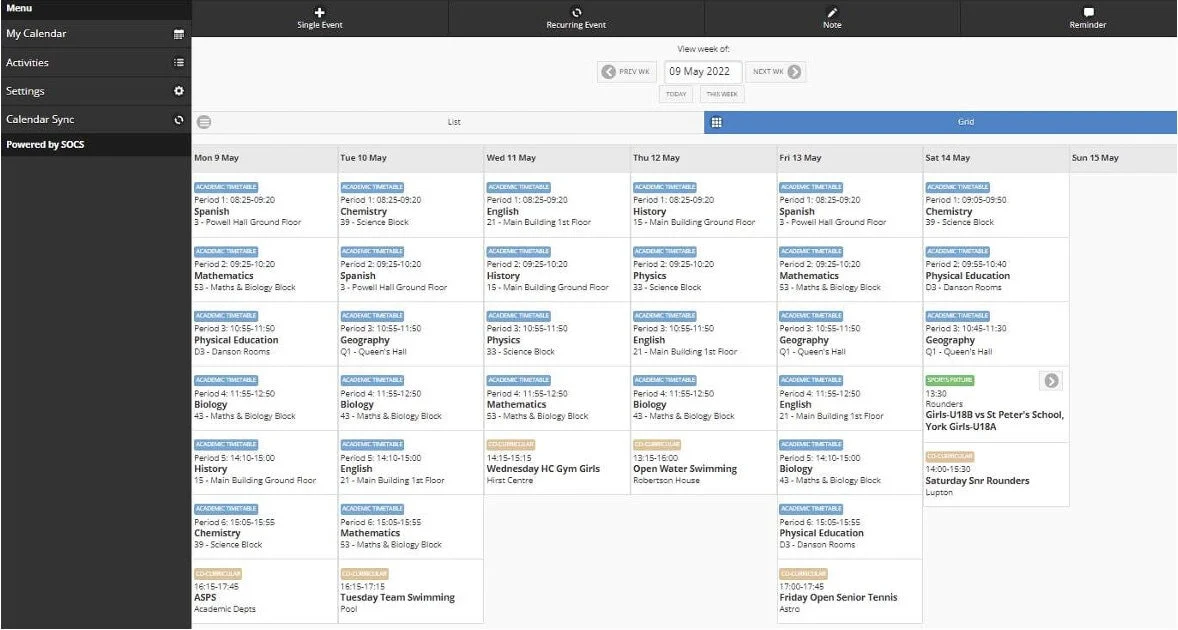
  • Not only will their fixed commitments show, but fixtures will also appear when they are selected for a team (shown with a green ‘flash’ – see below).
  • Note – the image below shows one week of the week’s A and B timetable that operates at the Senior School.

If you have any questions or queries about the SOCS system then please email Jordan Annett at jsa@sedberghschool.org

VISIT PROSPECTUS APPLY
x

Arrange a Visit

x